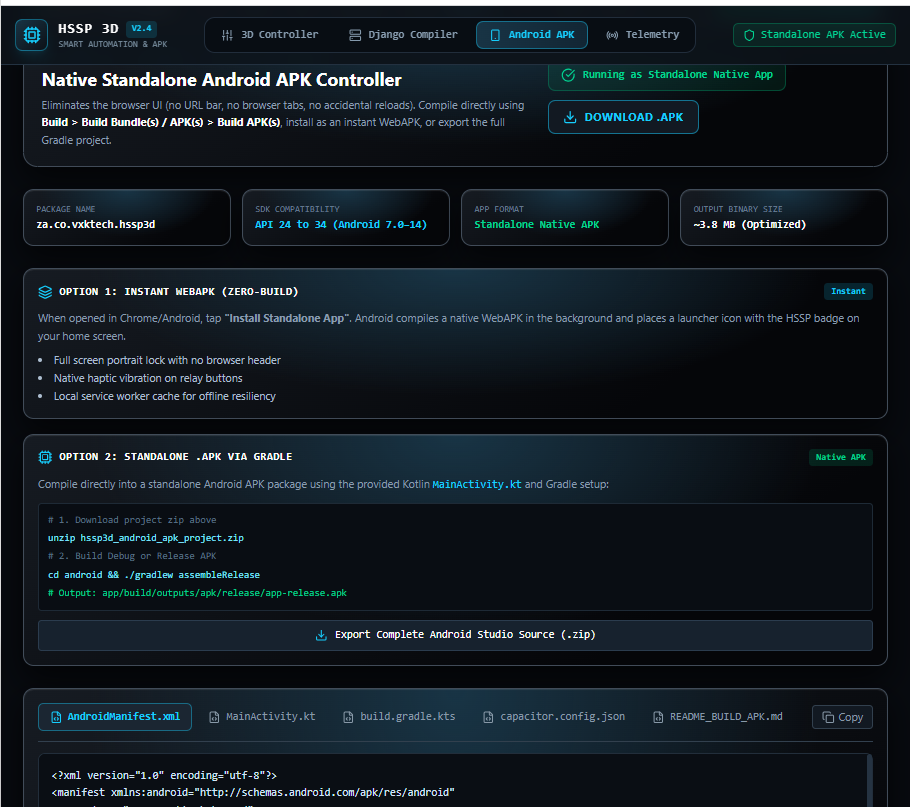
make android apk using this codes <?php /** HSSP ANY CMS PHP Filter page: custom command relay + verified session. */ drupal_page_is_cacheable(FALSE); drupal_add_http_header('Cache-Control', 'private, no-store, max-age=0'); $hssp_file = DRUPAL_ROOT . '/2r.txt'; $hssp_signed_in = user_is_logged_in(); $hssp_token = $hssp_signed_in ? drupal_get_token('hssp_3d_control') : ''; $hssp_reply = function ($data, $status = '200 OK') { drupal_add_http_header('Status', $status); drupal_add_http_header('Content-Type', 'application/json; charset=utf-8'); drupal_add_http_header('Cache-Control', 'private, no-store, max-age=0'); print drupal_json_encode($data); exit; }; if (isset($_GET['hssp_session'])) { $hssp_reply($hssp_signed_in ? 1 : 0); } if ($_SERVER['REQUEST_METHOD'] === 'POST' && isset($_POST['hssp_ajax'])) { if (!$hssp_signed_in) { $hssp_reply(array('ok' => FALSE, 'message' => 'Please log in first.'), '401 Unauthorized'); } $token = isset($_POST['hssp_token']) && is_string($_POST['hssp_token']) ? $_POST['hssp_token'] : ''; if (!drupal_valid_token($token, 'hssp_3d_control')) { $hssp_reply(array('ok' => FALSE, 'message' => 'Session expired. Reload the page and log in again.'), '403 Forbidden'); } $action = isset($_POST['hssp_action']) && is_string($_POST['hssp_action']) ? $_POST['hssp_action'] : 'command'; if ($action !== 'command' && $action !== 'reset') { $hssp_reply(array('ok' => FALSE, 'message' => 'Unknown action.'), '400 Bad Request'); } $command = isset($_POST['hssp_command']) && is_string($_POST['hssp_command']) ? trim($_POST['hssp_command']) : ''; if (!preg_match('/\A[A-Za-z0-9_-]{1,40}\z/', $command) || in_array(strtolower($command), array('lockpc', 'unlockpc'), TRUE)) { $hssp_reply(array('ok' => FALSE, 'message' => 'Use 1–40 letters, numbers, underscores or hyphens. PC lock commands are reserved.'), '400 Bad Request'); } $expected = isset($_POST['hssp_expected']) && is_string($_POST['hssp_expected']) ? $_POST['hssp_expected'] : ''; if ($action === 'reset' && ($command !== 'iddle' || !preg_match('/\A[A-Za-z0-9_-]{1,40}\z/', $expected))) { $hssp_reply(array('ok' => FALSE, 'message' => 'Invalid idle reset.'), '400 Bad Request'); } $handle = @fopen($hssp_file, 'c+'); if (!$handle || !flock($handle, LOCK_EX)) { if ($handle) fclose($handle); $hssp_reply(array('ok' => FALSE, 'message' => 'Cannot write trigger file. Check server permissions.'), '500 Internal Server Error'); } $current = stream_get_contents($handle); if ($action === 'reset' && trim($current) !== $expected) { flock($handle, LOCK_UN); fclose($handle); $hssp_reply(array('ok' => TRUE, 'skipped' => TRUE, 'command' => trim($current))); } rewind($handle); $saved = ftruncate($handle, 0) && fwrite($handle, $command) === strlen($command) && fflush($handle); flock($handle, LOCK_UN); fclose($handle); if (!$saved) { $hssp_reply(array('ok' => FALSE, 'message' => 'Trigger file write failed.'), '500 Internal Server Error'); } $hssp_reply(array('ok' => TRUE, 'command' => $command, 'message' => 'Command sent. Check the PC for confirmation.')); } ?> <div id="hssp-3d-app"> <style type="text/css"> #hssp-3d-app { --hssp-blue: #16cfff; max-width: 780px; margin: 25px auto; padding: 20px; box-sizing: border-box; color: #e8f4ff; font-family: Arial, Helvetica, sans-serif; background: radial-gradient(ellipse at 50% 0%, #183445 0%, transparent 55%), linear-gradient(145deg, #161b22, #050609 75%); border: 1px solid #414c59; border-radius: 18px; box-shadow: 0 15px 35px rgba(0,0,0,.65), inset 0 1px 1px rgba(255,255,255,.10); } #hssp-3d-app * { box-sizing: border-box; } #hssp-3d-app .hssp-header { text-align:center; padding:10px 8px 20px; border-bottom:1px solid #3a4651; } #hssp-3d-app .hssp-header h2 { margin:0; color:#eaf9ff; font-size:28px; letter-spacing:5px; text-shadow:0 0 15px rgba(22,207,255,.35); } #hssp-3d-app .hssp-subtitle { margin-top:9px; color:#8b9aa9; font-size:10px; letter-spacing:3px; } #hssp-3d-app .hssp-status { display:flex; align-items:center; justify-content:center; gap:10px; flex-wrap:wrap; margin:18px 0; padding:12px; color:#a8bac9; background:#0c1117; border:1px solid #343e49; border-radius:8px; font-size:12px; } #hssp-3d-app .hssp-led { width:9px; height:9px; display:inline-block; flex-shrink:0; border-radius:50%; background:#59636e; box-shadow:0 0 5px #59636e; } #hssp-3d-app .hssp-led.active { background:#19e6ff; box-shadow:0 0 8px #19e6ff, 0 0 18px #0785ff; } #hssp-3d-app .hssp-led.error { background:#ff475e; box-shadow:0 0 9px #ff475e; } #hssp-3d-app .hssp-lines { display:grid; grid-template-columns:repeat(3,minmax(0,1fr)); gap:12px; } #hssp-3d-app .hssp-channel { min-width:0; padding:13px 9px 15px; background:linear-gradient(145deg,#303740,#171b21); border:1px solid #56606c; border-radius:11px; box-shadow:0 7px 0 #080a0e,0 9px 14px rgba(0,0,0,.6),inset 0 1px 1px rgba(255,255,255,.13); } #hssp-3d-app .hssp-channel-title { margin-bottom:13px; text-align:center; color:#98adbc; font-size:12px; font-weight:bold; letter-spacing:2px; } #hssp-3d-app .hssp-device { height:95px; position:relative; margin:0 auto 16px; max-width:150px; background:linear-gradient(130deg,#343b45 0%,#20252c 38%,#11151a 100%); border:2px solid #080a0e; border-radius:8px; box-shadow:inset 2px 2px 4px rgba(255,255,255,.08),inset -3px -4px 7px rgba(0,0,0,.7),0 2px 0 #59626d; } #hssp-3d-app .hssp-device:before { content:""; position:absolute; top:9px; left:12%; right:12%; height:3px; background:#424d59; border-radius:3px; } #hssp-3d-app .hssp-trigger { position:absolute; top:27px; left:23%; width:54%; height:5px; background:#13cfff; border-radius:5px; box-shadow:0 0 5px #13cfff,0 0 12px rgba(19,207,255,.8),0 0 22px rgba(19,207,255,.3); transition:all .2s ease; } #hssp-3d-app .hssp-device.is-on .hssp-trigger { background:#a2f4ff; box-shadow:0 0 8px #13cfff,0 0 22px #13cfff,0 0 35px rgba(19,207,255,.8); } #hssp-3d-app .hssp-device.is-off .hssp-trigger { background:#344f5b; box-shadow:0 0 4px rgba(19,207,255,.3); } #hssp-3d-app .hssp-device-label { position:absolute; left:0; right:0; bottom:13px; text-align:center; color:#778590; font-size:9px; letter-spacing:2px; } #hssp-3d-app .hssp-actions { display:grid; grid-template-columns:1fr 1fr; gap:10px; } #hssp-3d-app .hssp-btn { min-width:0; position:relative; padding:13px 5px; color:#dceaf5; font-size:12px; font-weight:bold; letter-spacing:1px; cursor:pointer; border-radius:7px; border:1px solid #68737e; background:linear-gradient(145deg,#525c67,#252a31); box-shadow:0 5px 0 #101318,0 7px 9px rgba(0,0,0,.55),inset 0 1px 1px rgba(255,255,255,.17); transition:transform .12s ease,box-shadow .12s ease; } #hssp-3d-app .hssp-btn:before { content:""; display:block; height:3px; margin:-2px auto 9px; width:60%; background:#27343d; border-radius:3px; box-shadow:0 0 3px #27343d; } #hssp-3d-app .hssp-btn-on:before { background:#1bd8ff; box-shadow:0 0 6px #1bd8ff,0 0 12px rgba(27,216,255,.55); } #hssp-3d-app .hssp-btn-off:before { background:#738493; box-shadow:0 0 5px rgba(115,132,147,.45); } #hssp-3d-app .hssp-btn:hover { border-color:#17cfff; color:#fff; } #hssp-3d-app .hssp-btn:active,#hssp-3d-app .hssp-btn.pressed { transform:translateY(4px); box-shadow:0 1px 0 #101318,inset 0 2px 5px rgba(0,0,0,.6); } #hssp-3d-app .hssp-btn:focus-visible { outline:2px solid #36dcff; outline-offset:3px; } /* Live file-report caption shown directly beneath each ON/OFF row. */ #hssp-3d-app .hssp-live-status { margin-top:17px; padding:10px 8px; min-height:86px; text-align:center; background:linear-gradient(180deg,#111820,#090d12); border:1px solid #3e505d; border-radius:7px; box-shadow:inset 0 1px 5px rgba(0,0,0,.7); } #hssp-3d-app .hssp-live-caption { color:#9bb1c0; font-size:9px; font-weight:bold; letter-spacing:1.5px; } #hssp-3d-app .hssp-live-file { margin-top:5px; color:#5e899e; font-family:monospace; font-size:9px; overflow-wrap:anywhere; } #hssp-3d-app .hssp-report-value { margin-top:8px; min-height:18px; color:#7fe8ff; font-family:monospace; font-size:11px; line-height:1.4; overflow-wrap:anywhere; text-shadow:0 0 7px rgba(19,207,255,.22); } #hssp-3d-app .hssp-report-value.status-error { color:#ff929e; text-shadow:none; } #hssp-3d-app .hssp-report-value.status-good { color:#8dffc0; } #hssp-3d-app .hssp-manual { margin-top:28px; padding:16px; background:rgba(5,9,14,.7); border:1px solid #394550; border-radius:10px; } #hssp-3d-app .hssp-manual h3 { margin:0 0 12px; font-size:12px; letter-spacing:2px; color:#9ab0bf; } #hssp-3d-app .hssp-manual input { width:100%; padding:13px; color:#b9f4ff; background:#101820; border:1px solid #3c6575; border-radius:6px; font-family:monospace; font-size:15px; outline:none; } #hssp-3d-app .hssp-manual input:focus { border-color:#13cfff; box-shadow:0 0 8px rgba(19,207,255,.25); } #hssp-3d-app .hssp-manual button { margin-top:11px; width:100%; } #hssp-3d-app .hssp-footer { padding-top:21px; text-align:center; color:#647584; font-size:9px; letter-spacing:2px; } @media(max-width:520px) { #hssp-3d-app { padding:13px; margin:12px auto; } #hssp-3d-app .hssp-lines { gap:7px; } #hssp-3d-app .hssp-channel { padding:11px 6px 13px; } #hssp-3d-app .hssp-channel-title { font-size:10px; letter-spacing:1px; } #hssp-3d-app .hssp-device { height:76px; } #hssp-3d-app .hssp-btn { font-size:10px; letter-spacing:0; padding:11px 3px; } #hssp-3d-app .hssp-live-status { padding:8px 4px; } #hssp-3d-app .hssp-report-value { font-size:10px; } } @media(prefers-reduced-motion:reduce) { #hssp-3d-app *,#hssp-3d-app :before { transition:none !important; } } </style> <div class="hssp-header"> <h2>HSSP CONTROL</h2> <div class="hssp-subtitle">3D SMART AUTOMATION INTERFACE</div> </div> <div class="hssp-status" role="status" aria-live="polite"> <span id="hssp-led" class="hssp-led"></span> <span id="hssp-status-text">SYSTEM READY</span> <span>|</span> <span>CMD: <strong id="hssp-current-command">iddle</strong></span> </div> <div class="hssp-lines"> <div class="hssp-channel"> <div class="hssp-channel-title">LINE 01</div> <div id="hssp-device-1" class="hssp-device"><div class="hssp-trigger"></div><div class="hssp-device-label">OUTPUT 01</div></div> <div class="hssp-actions"> <button type="button" class="hssp-btn hssp-btn-on" data-command="line1on" data-line="1" data-state="on">ON</button> <button type="button" class="hssp-btn hssp-btn-off" data-command="line1off" data-line="1" data-state="off">OFF</button> </div> <div class="hssp-live-status" aria-live="polite"> <div class="hssp-live-caption">LINE 1 LIVE STATUS</div> <div class="hssp-live-file">/ufo/line1state.txt</div> <div id="hssp-report-value-1" class="hssp-report-value">Loading status...</div> </div> </div> <div class="hssp-channel"> <div class="hssp-channel-title">LINE 02</div> <div id="hssp-device-2" class="hssp-device"><div class="hssp-trigger"></div><div class="hssp-device-label">OUTPUT 02</div></div> <div class="hssp-actions"> <button type="button" class="hssp-btn hssp-btn-on" data-command="line2on" data-line="2" data-state="on">ON</button> <button type="button" class="hssp-btn hssp-btn-off" data-command="line2off" data-line="2" data-state="off">OFF</button> </div> <div class="hssp-live-status" aria-live="polite"> <div class="hssp-live-caption">LINE 2 LIVE STATUS</div> <div class="hssp-live-file">/ufo/line2state.txt</div> <div id="hssp-report-value-2" class="hssp-report-value">Loading status...</div> </div> </div> <div class="hssp-channel"> <div class="hssp-channel-title">LINE 03</div> <div id="hssp-device-3" class="hssp-device"><div class="hssp-trigger"></div><div class="hssp-device-label">OUTPUT 03</div></div> <div class="hssp-actions"> <button type="button" class="hssp-btn hssp-btn-on" data-command="line3on" data-line="3" data-state="on">ON</button> <button type="button" class="hssp-btn hssp-btn-off" data-command="line3off" data-line="3" data-state="off">OFF</button> </div> <div class="hssp-live-status" aria-live="polite"> <div class="hssp-live-caption">LINE 3 LIVE STATUS</div> <div class="hssp-live-file">/ufo/line3state.txt</div> <div id="hssp-report-value-3" class="hssp-report-value">Loading status...</div> </div> </div> </div> <div class="hssp-manual"> <h3>MANUAL COMMAND ENTRY</h3> <form id="hssp-manual-form"> <input type="text" id="hssp-code-input" maxlength="40" autocomplete="off" placeholder="Enter the code saved in your PC app..." aria-label="Automation command"> <button class="hssp-btn hssp-btn-on" type="submit">SEND COMMAND</button> </form> <p style="font-size:11px;color:#7e92a1;line-height:1.5;">Use the ON or OFF code saved under Line names & codes in your PC app. Codes: 1–40 letters, numbers, underscores or hyphens.</p> </div> <div class="hssp-footer">HSSP • SMART CONTROL TERMINAL • LIVE REPORTING</div> <script type="text/javascript"> (function () { 'use strict'; var app = document.getElementById('hssp-3d-app'); if (!app) return; var token = <?php print drupal_json_encode($hssp_token); ?>; var signedIn = <?php print drupal_json_encode($hssp_signed_in); ?>; var statusText = document.getElementById('hssp-status-text'); var currentCommand = document.getElementById('hssp-current-command'); var led = document.getElementById('hssp-led'); var idleTimer = null; var requestNumber = 0; var busy = false; function showStatus(message, type) { statusText.textContent = message; led.className = 'hssp-led' + (type === 'ok' ? ' active' : (type === 'error' ? ' error' : '')); } function updateDisplay(command) { var match = /^line([123])(on|off)
/.test(command) || /^(lockpc|unlockpc)$/i.test(command)) { showStatus('COMMAND NOT ALLOWED', 'error'); return Promise.reject(new Error('Command not allowed')); } if (idleTimer) { clearTimeout(idleTimer); idleTimer = null; } var thisRequest = ++requestNumber; busy = true; showStatus('SENDING COMMAND...', ''); currentCommand.textContent = command; return postAjax({hssp_ajax:'1', hssp_action:'command', hssp_token:token, hssp_command:command}) .then(function (result) { if (!result.ok) throw new Error(result.message || 'Command failed.'); if (thisRequest !== requestNumber) return result; currentCommand.textContent = result.command; showStatus('COMMAND SENT — CHECK PC STATUS', 'ok'); updateDisplay(command); if (scheduleIdle && command !== 'iddle') { idleTimer = setTimeout(function () { postAjax({hssp_ajax:'1', hssp_action:'reset', hssp_token:token, hssp_command:'iddle', hssp_expected:command}) .then(function (result) { if (!result.ok) throw new Error(result.message); }) .catch(function () { showStatus('IDLE RESET FAILED', 'error'); }); }, 15000); } return result; }) .catch(function (error) { if (thisRequest === requestNumber) showStatus(error.message || 'CONNECTION FAILED', 'error'); throw error; }) .then(function (result) { if (thisRequest === requestNumber) busy = false; return result; }, function (error) { if (thisRequest === requestNumber) busy = false; throw error; }); } function renderReport(line, value) { var element = document.getElementById('hssp-report-value-' + line); if (!element) return; element.textContent = value || 'NO STATUS DATA'; element.classList.remove('status-error', 'status-good'); if (/UNAVAILABLE|ERROR|FAILED/i.test(element.textContent)) { element.classList.add('status-error'); } else if (/\bON\b|ONLINE|READY|ACTIVE/i.test(element.textContent)) { element.classList.add('status-good'); } } / Status reports are read from the published HTTPS text files. */ var statusUrls = { '1': '/ufo/line1state.txt', '2': 'https://vxktech.co.za/ufo/line2state.txt', '3': '/ufo/line3state.txt' }; function refreshOneStatus(line) { var url = statusUrls[line]; // Cache-busting query plus no-store prevents stale text-file reports. var separator = url.indexOf('?') === -1 ? '?' : '&'; var requestUrl = url + separator + '_hssp=' + new Date().getTime(); return fetch(requestUrl, { method: 'GET', cache: 'no-store', credentials: 'omit', headers: { 'Accept': 'text/plain, /' } }).then(function (response) { if (!response.ok) { throw new Error('HTTP ' + response.status); } return response.text(); }).then(function (report) { // Display as plain text, not HTML, to keep file contents safe. report = String(report || '').replace(/[\x00-\x08\x0B\x0C\x0E-\x1F\x7F]/g, ' '); report = report.replace(/\s+/g, ' ').trim().substring(0, 240); renderReport(line, report || 'NO STATUS DATA'); }).catch(function () { renderReport(line, 'STATUS FILE UNAVAILABLE'); }); } function refreshStatuses() { refreshOneStatus('1'); refreshOneStatus('2'); refreshOneStatus('3'); } app.querySelectorAll('[data-command]').forEach(function (button) { button.addEventListener('click', function () { if (busy) { showStatus('PLEASE WAIT...', ''); return; } button.classList.add('pressed'); setTimeout(function () { button.classList.remove('pressed'); }, 180); sendCommand(button.getAttribute('data-command'), true).catch(function () {}); }); }); var manualForm = document.getElementById('hssp-manual-form'); var manualInput = document.getElementById('hssp-code-input'); manualForm.addEventListener('submit', function (event) { event.preventDefault(); if (busy) { showStatus('PLEASE WAIT...', ''); return; } var command = manualInput.value.trim(); sendCommand(command, true).then(function () { manualInput.value = ''; }).catch(function () {}); }); if (!signedIn) showStatus('LOG IN TO SEND COMMANDS', ''); // Read the three status files immediately, then refresh every 3 seconds. refreshStatuses(); window.setInterval(refreshStatuses, 3000); })(); </script> </div> convert it to jango compiler and use native codes and cards to design a stand alone app, avoid using browsers ..